
Dashboard
- Intuitive and informative dashboard for CA and users.
- Provides a comprehensive and progressive overview of company compliance.
- Helps track pending, completed, and overdue compliance tasks in real time.
- Provides user-specific access and permissions based on role and responsibilities.
- Supports informed decision-making with data-driven insights.
- Monitors uploaded legal and financial documents (e.g., MOA, PAN, GST returns).
- Alerts users to missing or expired documents needing renewal or re-upload.

Masters
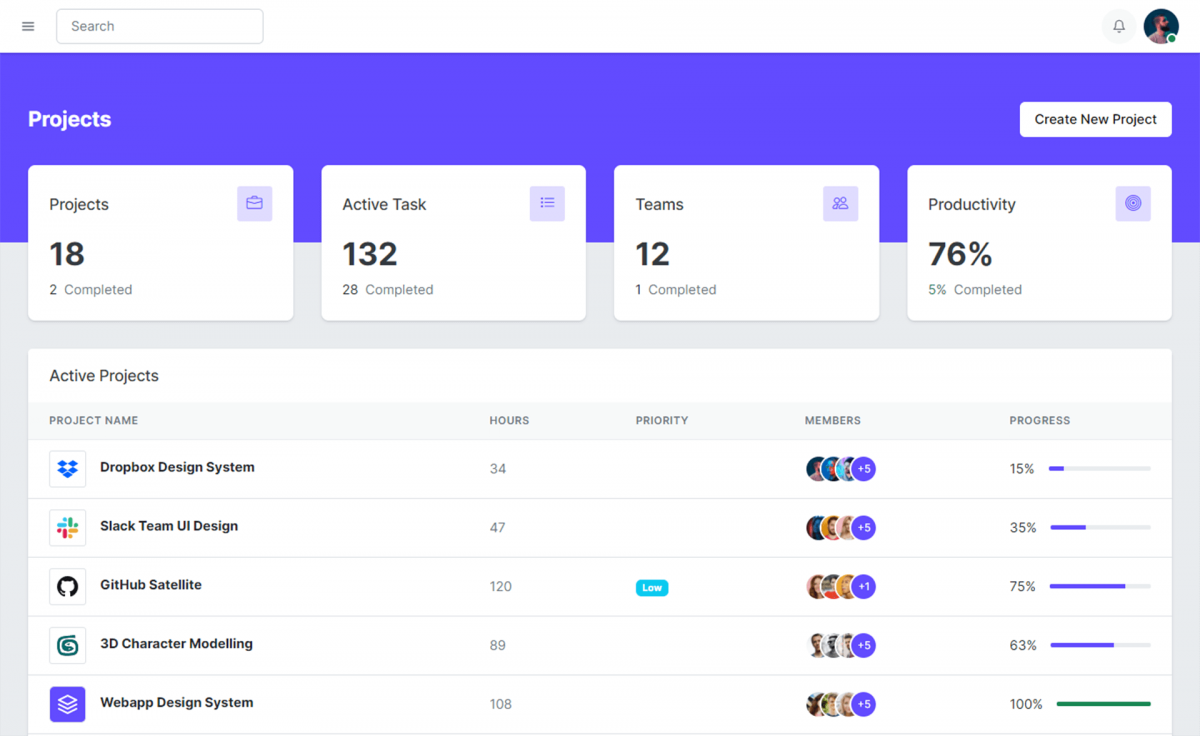
- Autofill Company, charges, and Director details from MCA instantly.
- PAN-based autofill for Shareholders, capturing Professional details (CA/CS/COA).
- Secure storage for company, director, shareholder, and professional documents.
- Provides a comprehensive and progressive overview of company compliance.
Compliance Calendar
- Control compliance, accounting, tax, and other events effortlessly.
- Efficient task creation for the entire financial year.
- Standard templates for easy and quick task creation.
- Informative views with options for editing, viewing, and status changes.
- Customizable task creation based on company requirements.
- Calendar and table views with reminders for upcoming events.


Annual Details
Meetings:
- Effortlessly create Board meetings, AGM, and EGM as per Companies Act guidelines.
- Rapid generation of required documents (Notice, Acknowledgements, Agenda, Attendance register, leave absence, Draft minutes, etc.).
- Customize agenda using pre-defined templates and online text editor.
- Download PDF and Word documents with customizable formatting.
Reports:
- Create annual reports (Board report, AOC-1, AOC-2, Auditor's Reports, lists of Shareholders and Directors) using pre-defined content.
- Swiftly view, edit, and download reports in PDF and Word formats.
- Customize documents using an online text editor and formatting options.
User Management
- First compliance software providing customized access control at Admin, User, Client, Company, and Tab levels.
- Admins have the authority to grant specific access to users and clients for each company, ensuring precise control over progress.
- Intuitive dashboard offers admins an optimal view of ongoing activities, simplifying decision-making and enhancing administrative efficiency.
- Seamless collaboration facilitated by our cloud-based application, ensuring efficient communication and information sharing.


Register Details
- Maintain all required statutory registers with precision (MGT-1, MGT-2, MGT-3, Register of Directors & KMP, BEN-3, SH-2, SH-3, SH-6, SH-10, Register of Deposits, CHG-7, MBP-2, MBP-3, MBP-4, Postal Ballot Register and other related compliance registers).
- Generate official forms and compliance documents.
- Download everything in Excel (.xlsx) and PDF (.pdf) for review, filing, or audit.
- Customize templates and capture data digitally.
Compliances
- Automatically generate required statutory compliance documents and forms (INC-22, INC-20A, MSME Return, DPT-3).
- Edit form content in-app before download or filing.
- Auto-fill form fields using register data you have already entered.
- Download completed forms in Word (.docx) and PDF (.pdf) formats.
- Easily upload directly to the MCA portal (MCA V3) for submission.

Templates & Letter Head Configuration
- Configure company letterheads with logo, address, CIN, and branding so every generated document follows your official format.
- Use pre-built master templates for Board Meetings, AGM, EGM, Board Reports, Auditor Reports, Notices, Minutes, and other corporate documents.
- Customize templates easily by adding your own content, clauses, or formatting to match your firm's standards or client requirements.
- Edit master template content anytime to adapt to regulatory updates, internal policies, or specific meeting requirements.
- Generate documents instantly with auto-applied templates and letterheads, then download them in Word (.docx) or PDF (.pdf) formats.
MCA Filing Agent
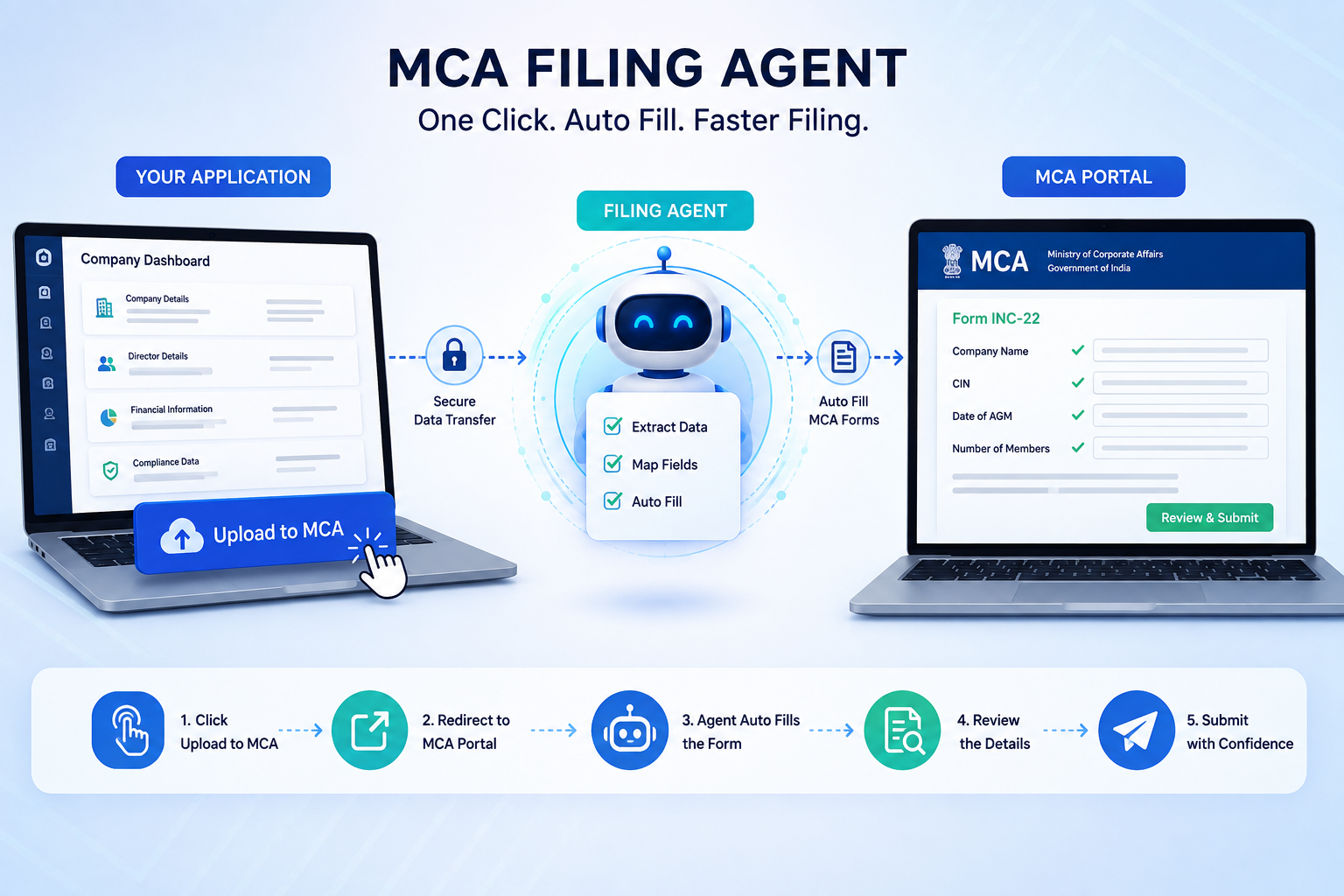
- One-Click Upload to MCA
Click “Upload to MCA” from our application and seamlessly access the MCA portal without repetitive manual steps. - Automatically Fill MCA Forms
The Agent automatically transfers the data already entered in our application into the corresponding MCA form fields. - Enter Data Once, File Faster
Avoid entering the same company, director, financial, and compliance information again on the MCA portal. - Smart & Accurate Data Mapping
The Agent maps your application data to the appropriate MCA fields, helping reduce manual entry and errors. - Review & Submit with Ease
Once the form is automatically filled, review the information on the MCA portal and complete your filing process.
MCA Forms
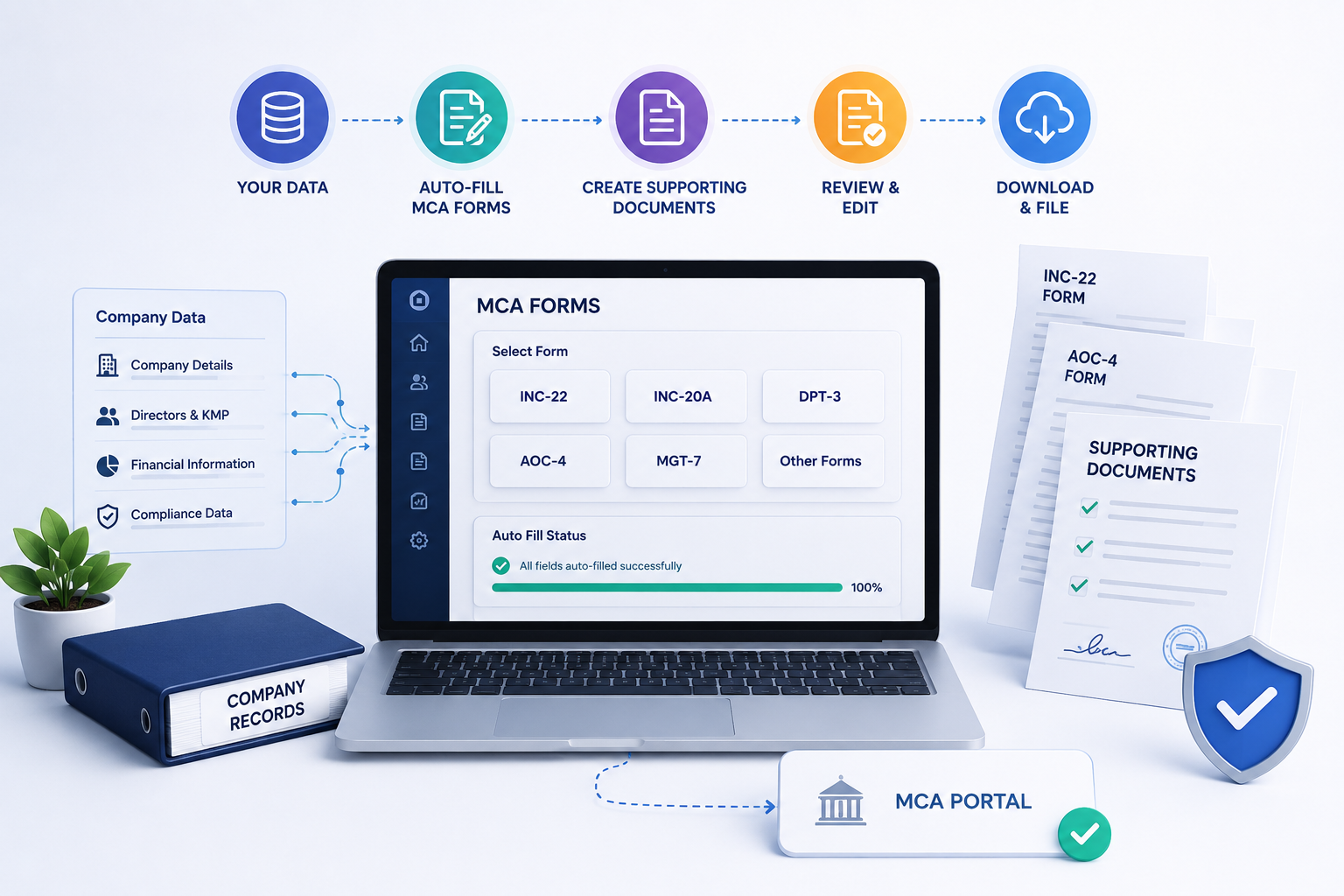
- Generate MCA Forms Automatically
Create required MCA forms such as INC-22, INC-20A, DPT-3, AOC-4, MGT-7, and other applicable forms using the data already available in your application. - Create Supporting Documents
Automatically generate the required supporting documents, declarations, attachments, and other documents associated with the respective MCA forms. - Auto-Fill Forms Using Existing Data
Automatically populate MCA form fields using company, director, financial, and compliance information already entered in your application. - Edit, Review & Customize Documents
Review and edit generated forms and supporting documents before downloading or proceeding with the filing. - Download in Word & PDF Formats
Download completed MCA forms and supporting documents in Word (.docx) and PDF (.pdf) formats for review, records, or filing. - Seamless MCA Filing with Agent
Send the completed form to the MCA portal and let the Filing Agent automatically fill the corresponding MCA fields, reducing repetitive data entry and saving time.
Team Chat
- Standard chat system for fast collaboration between users and clients on organisation level.
- Enables instant communication between team members and clients.
- Reduces delays in decision-making and task execution.
- Supports private one-on-one conversations.
- Users can share documents, PDFs, images, or spreadsheets directly in the chat.
- Maintains confidentiality and data integrity during sensitive discussions.
- Ensures users stay connected and responsive from anywhere.


SUPPORT SYSTEM
- Centralized ticket management system for tracking technical issues and client requests.
- Easy ticket creation for users to raise problems with clear descriptions.
- Automatic ticket ID generation for better tracking and reference.
- Priority and status levels (New, In Progress, Resolved, Closed) for efficient issue handling.
- Role-based access control ensuring the right team members handle the right tickets.
- Attachment support for screenshots, logs, or error files to speed up troubleshooting.
- Notifications and alerts to keep users updated on ticket progress in real-time.